The free update expands Wingman's chord-suggestion engine with deeper editing tools, real guitar recordings, and genre-specific drum patterns.
Mixed In Key has released Wingman 3.0, an update to its music production plugin that suggests chord progressions and basslines based on audio captured directly from a producer’s DAW.
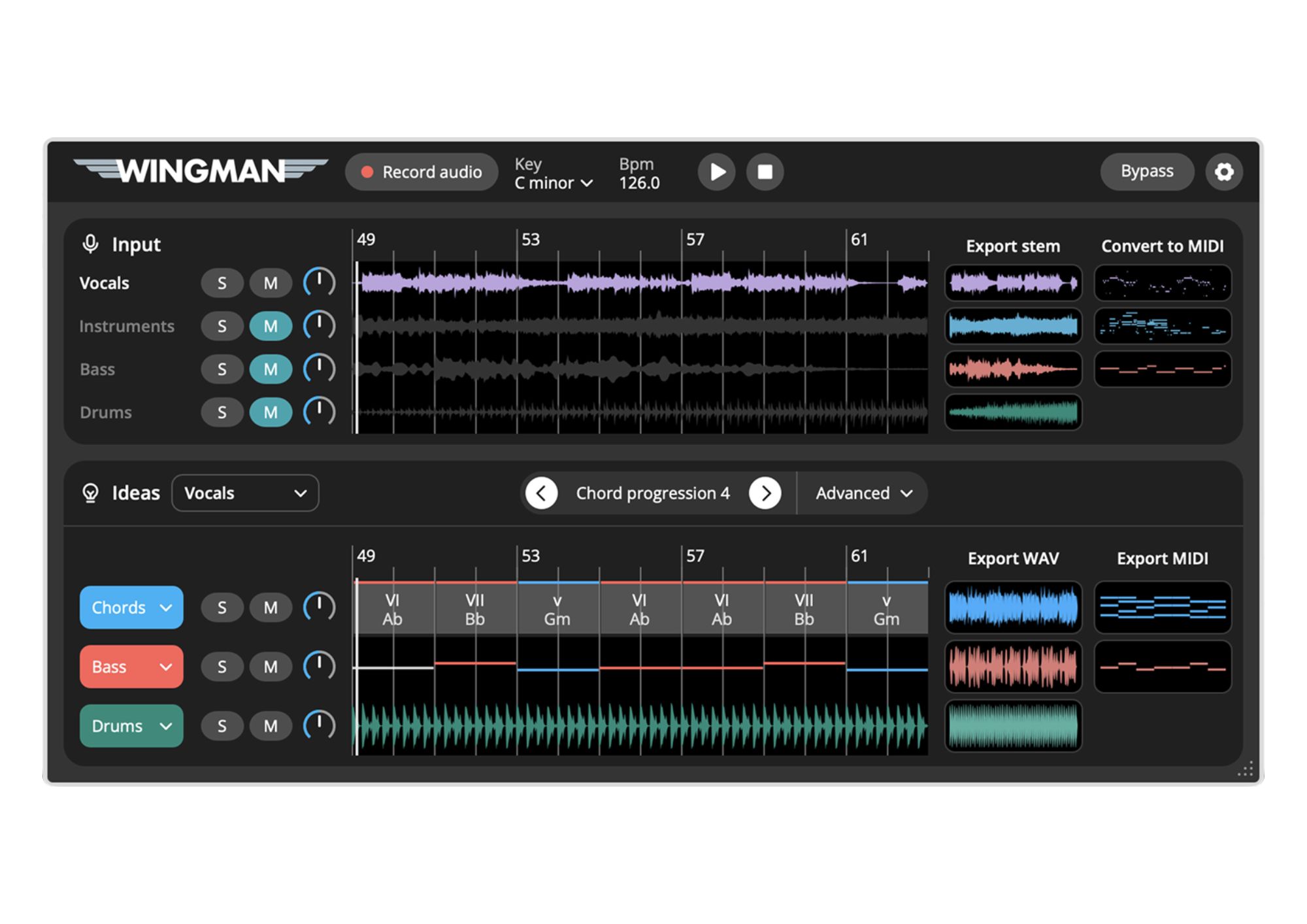
Wingman works by analysing audio from a producer’s own session, then suggesting musical ideas to audition against it — whether that’s exploring new chords around a vocal, finding harmony for a sample, or trying a different bassline for a remix. The original audio remains untouched throughout; producers edit and export the suggested ideas back into their session rather than replacing what they’ve already recorded.
Catch up on all the latest news here.
Version 3.0’s headline addition is expanded chord editing, giving producers far more control over Wingman’s suggestions. Individual chords can now be replaced, passing chords inserted between existing changes, and chord regions resized, split, or removed entirely, all while auditioning each edit against the original source audio. For a vocal remix, that means trying an entirely different progression around the same performance, then fine-tuning individual chord changes while listening back against the vocal in real time.
The update also introduces vintage and modern guitar performances, recorded with real musicians rather than generated from a synth or piano sound. These recordings adapt to whichever chord progression a producer has selected, letting them hear their chord ideas played out as genuine guitar parts, complete with the articulation and variation of a real performance. Different playing styles can be compared against a track before the chosen performance is exported as audio.
Rounding out the update is a new Drums channel, adding genre-specific patterns for song sections including verses, hooks, and bridges, with separate kick and transition controls. Producers can audition these patterns alongside their chord and bassline ideas, then export the full drum part as audio or pull out individual elements separately for further work in the DAW.
Wingman’s stem separation remains central to how the plugin operates, letting producers isolate vocals, instruments, bass, or drums from a full track and choose which element guides its suggestions. Ideas can be auditioned through Wingman’s built-in sounds or a producer’s own VST3 instruments, and owners of Serum 1 or Serum 2 also get access to hundreds of free Serum presets. Additional tools include key detection, rhythm and accent editing, and audio-to-MIDI conversion for melodic source material.
David Guetta, speaking about Wingman, described it as the easiest and best chord and melody detector available, adding that it’s the best way to learn the relationship between melody and chords when that connection isn’t already clear to a producer.
Wingman 3.0 is available now as a free update for all existing Wingman owners.
Learn more here