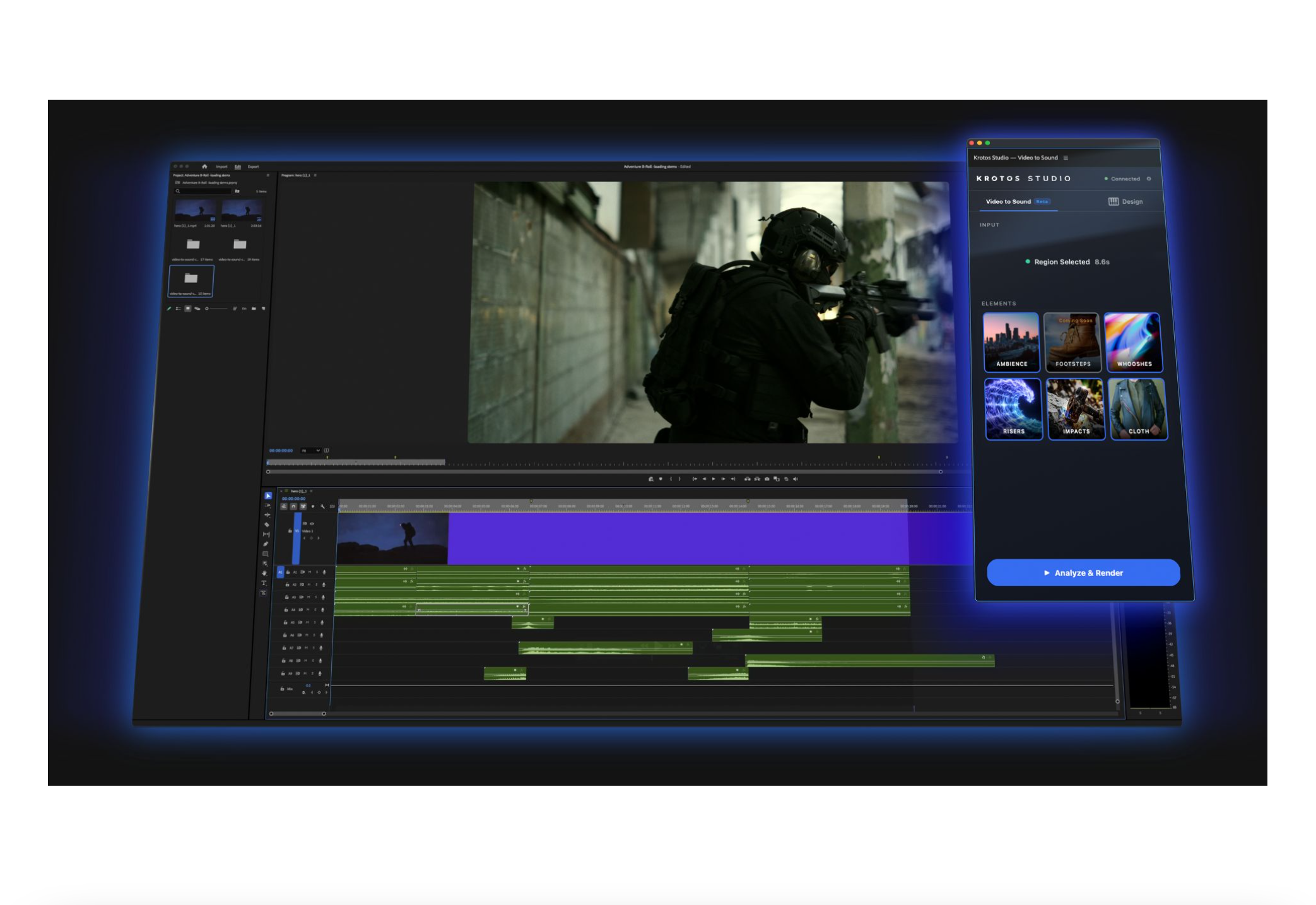
Krotos' new plugin analyses footage and places professionally recorded effects directly on the timeline in seconds.
Krotos has released Video to Sound for Adobe Premiere Pro, a plugin that lets editors generate synchronised sound effects directly within their edit without switching applications.
Catch up on all the latest news here.
The plugin uses machine learning to analyse footage and identify relevant sounds, then pulls from Krotos’ royalty-free library of professionally recorded audio. Rather than relying on AI-generated sound, every effect placed on the timeline is a real recording – ambiences, whooshes, transitions, risers, impacts, and cloth effects included. Editors set in and out points, select which sound elements they want, and the plugin builds a synchronised soundscape in seconds.
Once effects are placed, editors can swap them for alternatives while maintaining sync to the picture. This means refining the sound design becomes a quick process of auditioning options rather than rebuilding entire passes.
Orfeas Boteas, Krotos’ CEO, points out the practical reality of modern editing schedules: “Video editors are under constant pressure to deliver more content in less time. With Video to Sound for Premiere Pro, users can go from silent footage to a professional soundscape in just a few clicks, without ever leaving their edit.”
The plugin is available now through Adobe Marketplace as part of Krotos Studio, Pro, and Max subscription plans. Subscribers can install the extension and access Video to Sound directly inside Premiere Pro.
Krotos has built its reputation on sound design tools used across major productions, including Game of Thrones, Avengers: Age of Ultron and Stranger Things, with a focus on keeping real recordings at the centre of the workflow rather than replacing them with generated alternatives.
Learn more here.