Muse Group's overhaul brings a redesigned interface on Qt, non-destructive clip editing, saveable Workspaces and a project home screen, and stays free across macOS, Windows and Linux.
Audacity 4 is out, with Muse Group calling it the app’s largest update yet. The free, open-source editor keeps its familiar tracks-and-timeline layout and its keyboard shortcuts, but reworks how clips are edited, rebuilds the interface on Qt and adds new ways to organise projects. It still runs on macOS, Windows and Linux, and Audacity 3 projects open as normal.
Catch up on all the latest news here.
Audacity 4 at a glance
- Rebuilt on Qt, with dockable panels, saveable Workspaces and light, dark and high-contrast themes
- Non-destructive clip editing – clips can overlap, be grouped and edited several at once, and trimmed audio comes back by extending the clip
- Ripple editing options that control how deleting a section shifts the rest of the project
- A new Split tool that cuts at the playhead across one or more tracks, plus clip envelopes for volume and fades
- A home screen showing local and audio.com cloud projects as thumbnails
- Level meters in every track header and a vertical playback meter option
- VST3, Audio Unit and LV2 plug-in support alongside real-time effects
- New .aup4 project format, with Audacity 3 projects still opening as normal
- ASIO in the official Windows builds
- Free and open-source under GPL v3, for macOS, Windows and Linux
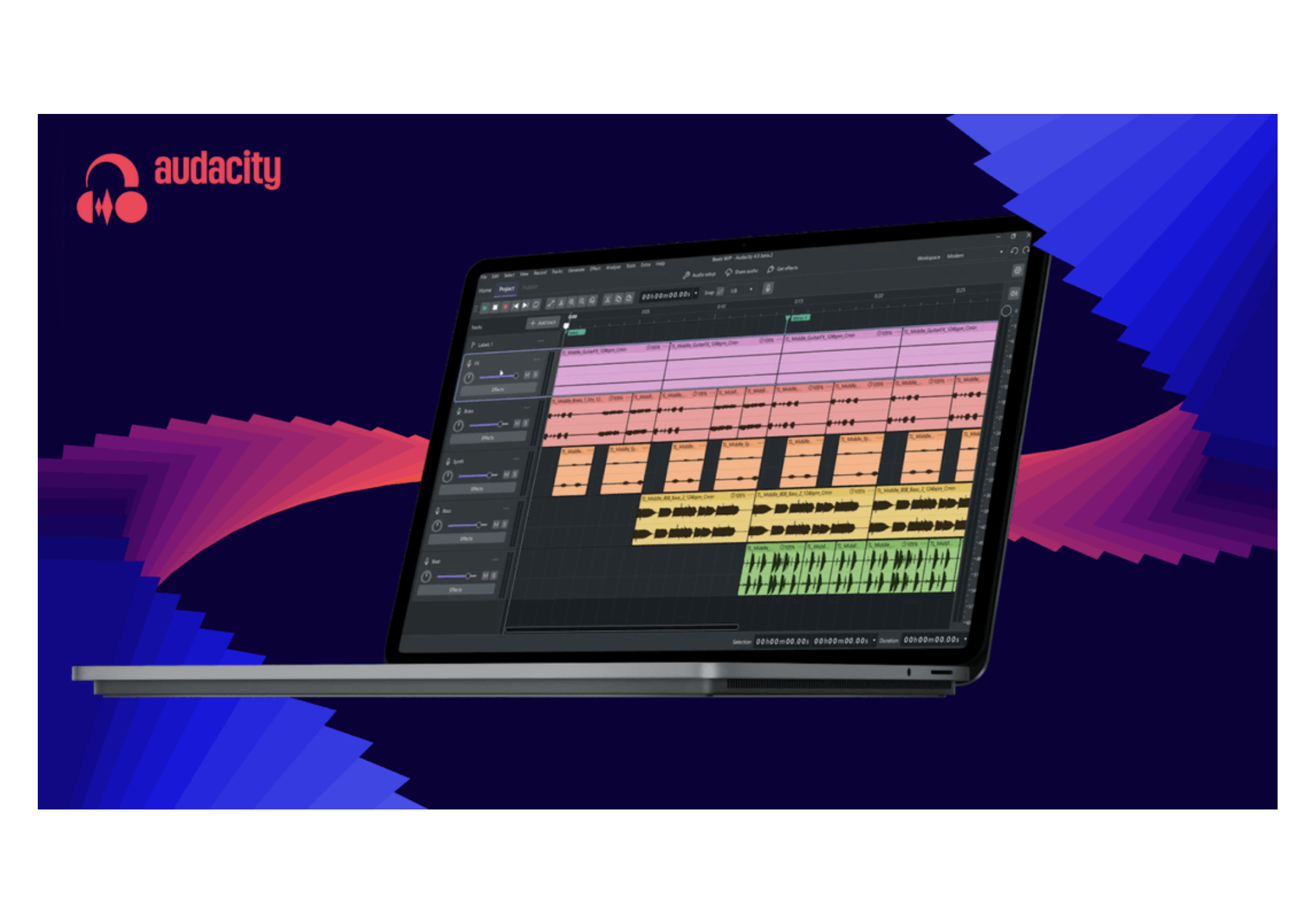
Trimming is now non-destructive, so audio cut from a clip isn’t gone – dragging the clip back out brings it back. Clips are allowed to overlap now, several can be selected and edited at once, and related ones can be grouped to move together, while ripple options decide how deleting a section shifts everything after it. A much-requested Split tool cuts recordings at the playhead, on one track or several at a time, and clip envelopes add volume moves and fades inside a clip without touching the original recording.
The interface has had its biggest visual rework yet. The toolbar and track controls have been rearranged, the playhead is now always on screen, and moving and zooming around a project feels smoother. There are light and dark themes to choose from, accent colours you can set yourself and a stronger high-contrast option. A new home screen opens the app, showing local and audio.com cloud projects as thumbnails instead of a list of filenames, and it’s set to hold tutorials later on. Workspaces store custom layouts you can flip between for editing a podcast, producing music or restoring old audio, so nothing needs rebuilding each session.
Plug-in support covers VST3, Audio Units and LV2 next to Audacity’s real-time effects, and the built-in processors keep their old behaviour behind new interfaces. Level meters now appear in each track header, the playback meter can run vertically, the official Windows builds include ASIO, and projects save to a new .aup4 format. The full release comes through MuseHub, Muse Group’s marketplace, where the catalogue of compatible plugins, effects and sound libraries keeps growing.
Muse Group casts the release as a starting point rather than a one-off. “Audacity has been helping creators record and edit audio for more than 25 years, and our goal with version 4 was to prepare it for the next 25,” said chief product officer Julia Sazhina, whose aim was “not changing what creators love about Audacity, but giving it the modern architecture needed to support the intelligent tools and connected workflows of the future.”
Audacity 4 is free and open-source, and available now for macOS, Windows and Linux. Head here to learn more.