Can't play along with Strawberry Fields Forever? Retune estimates a track’s reference pitch and shifts it to any A between 380 and 570 Hz without changing the tempo.
Anyone who’s tried to play along with a recording a few cents off concert pitch knows that no amount of fiddling with the tuning pegs will fix it, so Retune, a free web app from musician and former R&D engineer Pab San, works the other way round and shifts the recording to match your instrument instead.
Older records are often the worst for this. In the tape era, engineers regularly sped up or slowed down the machines while recording and mixing to change a song’s feel, and that moved the pitch too, sometimes leaving it stranded between conventional keys. The Beatles used the trick constantly at Abbey Road, and “Strawberry Fields Forever” is the best-known example: George Martin spliced together two takes recorded at different tempos and in different keys, speeding one up and slowing the other down until they met. The result sits somewhere between standard keys, so anyone strumming along on a guitar tuned to A440 is fighting the record from start to finish.
Catch up on all the latest news here.
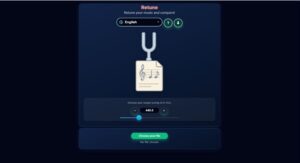
Once an audio file is loaded, the app reads its technical details, including codec, sample rate, bitrate and duration, then estimates the reference A it sits at and works out the gap to your target in cents. You can set the target anywhere from 380 to 570 Hz in 0.1 Hz steps, which covers 432, 440 and 442 Hz along with the in-between tunings older and live recordings tend to drift into. The suggested correction updates whenever the target changes, and you can adjust it by hand if you’d rather go by ear.
Fast mode handles quick comparisons and High Quality mode is there for the final render, with built-in A/B playback for switching between the original and processed versions. Each new render starts from the untouched source file, so trying a handful of settings doesn’t pile processing on top of processing. That suits teachers lining recordings up with classroom instruments as much as producers matching source material to a session’s tuning.
When no pitch change is needed, Retune also works as a straight format converter. Its 17 export options include WAV at 16-bit, 24-bit or 32-bit float, AIFF, FLAC, ALAC, MP3, Ogg Vorbis, Opus, M4A/AAC and AC-3, and it accepts MP3, WAV, FLAC, M4A, OGG and AIFF files.
The analysis looks at a recording’s overall tuning, so it won’t correct individual notes or retune one instrument inside a mix. Files go to a server for processing, which means you’ll need an internet connection.
Retune runs in any modern browser on desktop, tablet or mobile, can be installed as a web app where supported and has 21 interface languages. It’s free with no ads, account or subscription, though you can leave an optional tip to support the project.
You can use Retune for free right here