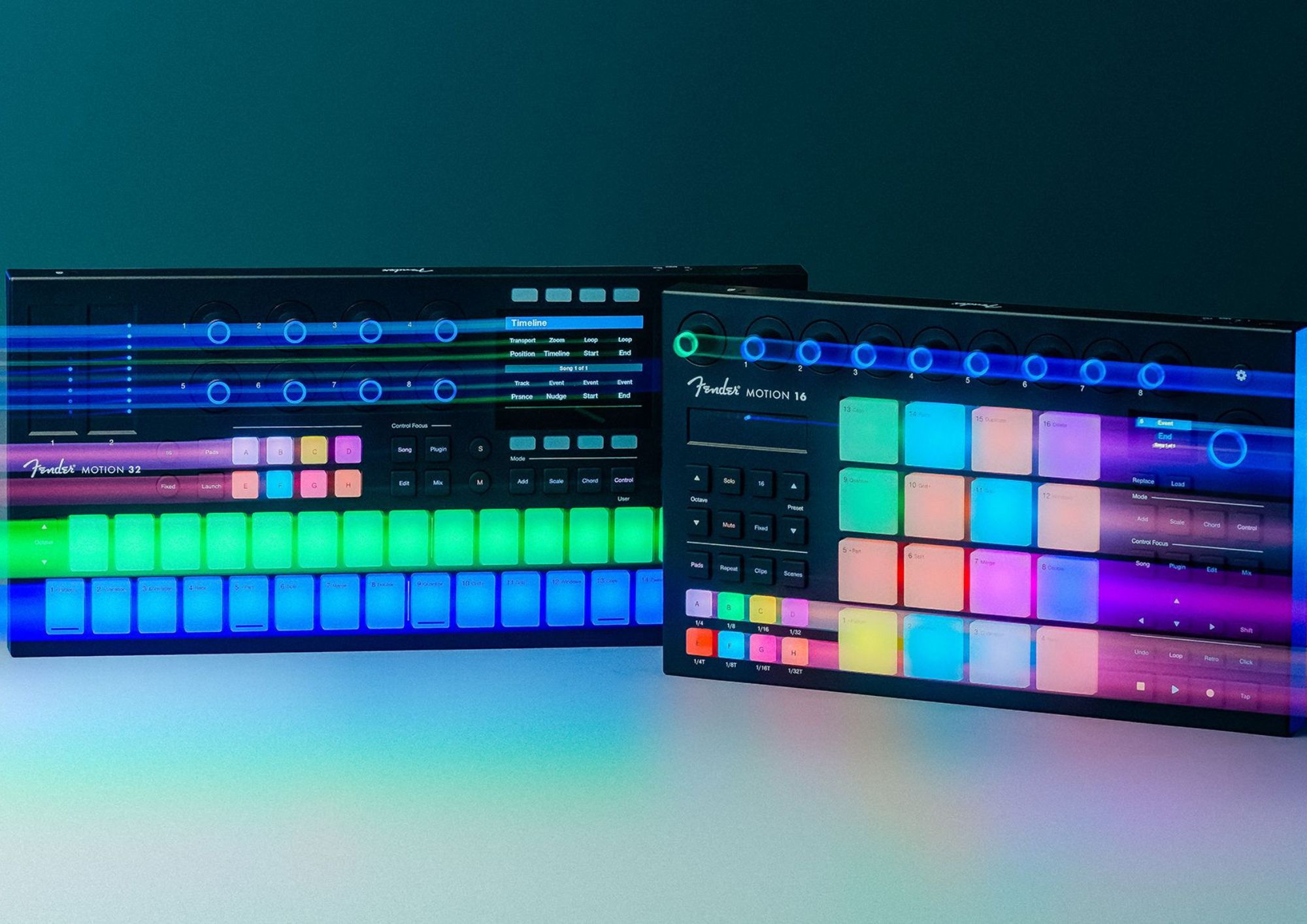
Your mouse is about to get a well-earned break, thanks to Fender’s first pad controllers, the Motion 16 and 32.
When you think Fender, you probably think guitars and amps first. And why wouldn’t you? They are the very best at making those. Fight me in the non-existent comment section if you disagree. But back in 2021 Fender bought PreSonus Audio Electronics, and earlier this year it renamed the Studio One DAW Fender Studio Pro, levelling up its presence in the world of recording tools.
Catch up on all the latest reviews here.
Alongside that rebrand came the Fender Motion 16 and 32 production and performance controllers, and now that we have them in our hot little hands, let me tell you, they feel nice. These units are heavily tailored for users of Studio Pro (each comes with a perpetual licence), but they work perfectly fine with other DAWs, and I trialled them in Logic Pro. Both controllers handle playback, editing, mixing, plugin control and more. They’re powered over USB, with 3.5mm TRS MIDI in and out for connecting hardware synths and drum machines.
If you are familiar with pre-Fender PreSonus, you may know its Atom and Atom SQ controllers. Motion is essentially the new, Fenderised version of those.
Built to take a beating
One thing you’ll notice straight away with these controllers, and the reason behind my comment at the start of the second paragraph, is the build quality. They are good-heavy, and the pads feel like they could take a Fred again..-level finger-drumming pounding. That comes down to Italian company FATAR, best known for its keybeds, which designed the Motion pads – its first ever pad design – and they’re very sturdy indeed.
Knobs, strips and screens
As you get into it, you can see how closely these units are built around Studio Pro. In other DAWs like Logic you set them up as an external MIDI controller, and since I am testing in Logic, some Studio Pro-specific functions, like adding tracks from the controller, aren’t available. Both units feature a large navigation knob for selecting settings and features on the colour screen (the 32’s screen is a lot bigger), plus eight assignable control knobs. The 16 adds a dedicated volume knob. The mode and control buttons on both units are basically the same, and this is where you select plugins, change scales and chords and open the mixer. Both have a touch strip as well. The 16’s switches between pitch bend and mod wheel, while the 32 gets two, so pitch and mod each have their own, which is a lot of fun.
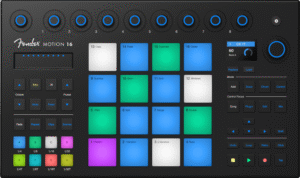
The Motion 16
More than a MIDI controller
The biggest benefit of these units for home studio aficionados is that they go beyond simple MIDI controllers and also act as DAW controllers. Studio Pro users get the most out of it, but you can assign functions in other DAWs as well, so you can use the Motions to make music or control your DAW, and your mouse gets a well-deserved break.
Both are easy to pick up, but let’s focus on the 32 for a simple example of how they make music creation straightforward. I used the 32 to create some simple piano parts, and while you do lose the touch of playing keys (as with any pad setup), the key, chord and scale functions made it very easy to experiment and play, all from the unit itself. The 32 can even be configured to lay out the pads like a keyboard, with sharps on the upper row for playability. Both units have polyphonic aftertouch, so each pad responds to pressure on its own. The pressure sensitivity is very high out of the box, but you can adjust it to suit your playing, which matters given the pads are the most important part of these units.
Motion 16 or Motion 32?
The 16 and 32 are very similar, with mostly the same triggers and encoders, and beyond the obvious fact that the 16 is much more portable, your choice comes down to how you work best. If you are indeed the next Fred again.. and will be doing a lot of finger drumming, the 16 has the better layout. The 4×4 grid is the standard layout for beat pads, and the pads themselves are bigger and easier to play. It all reverses for those who plan on playing a lot of pianos or synths, as the 32’s layout is better tailored to that. Chord mode bridges the gap a little on both units, letting you trigger a full chord from one pad while it records each note as individual MIDI, which is a little attention to detail Fender deserves props for.
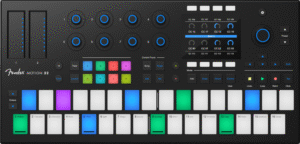
The Motion 32
Retro record
One of the coolest features of these units is the Retro button, which taps into Studio Pro’s Retrospective Record. Studio Pro is always listening, so when you are messing around and end up playing something radical, hitting Retro recovers it even if you weren’t recording. Sooner or later, every musician will be glad it’s there.
The volume knob on the 16 doesn’t sound like a big deal, but I found it very handy. The 32, with its bigger screen, gives you extra functionality, especially in mix mode, where it brings up a range of faders that aren’t available on the 16. So for greater studio/DAW control, the 32 is the clear winner.
The verdict
If you are a Studio Pro user, these units are absolute no-brainers. If you prefer a different DAW, they take a little setup time and some Studio Pro-specific features won’t carry over, but you’ll still get plenty out of adding either of these controllers to your rig.
For local enquiries, head here