Jands | RRP $699
Well, big news! It’s finally happened. The MIDI controller we have all been waiting for is now a reality, and I know a lot of you are as excited about this one as I just happen to be. AlphaTheta has really come through with SLAB, the first controller made specifically for Serato Studio.
With that in mind, SLAB allows you to find a perfect integration between software and hardware for a more intuitive workflow. But let’s not take my over-excited first glance as gospel. How about we have a closer look at this new piece of kit from AlphaTheta.
Catch up on all the latest features and reviews here.
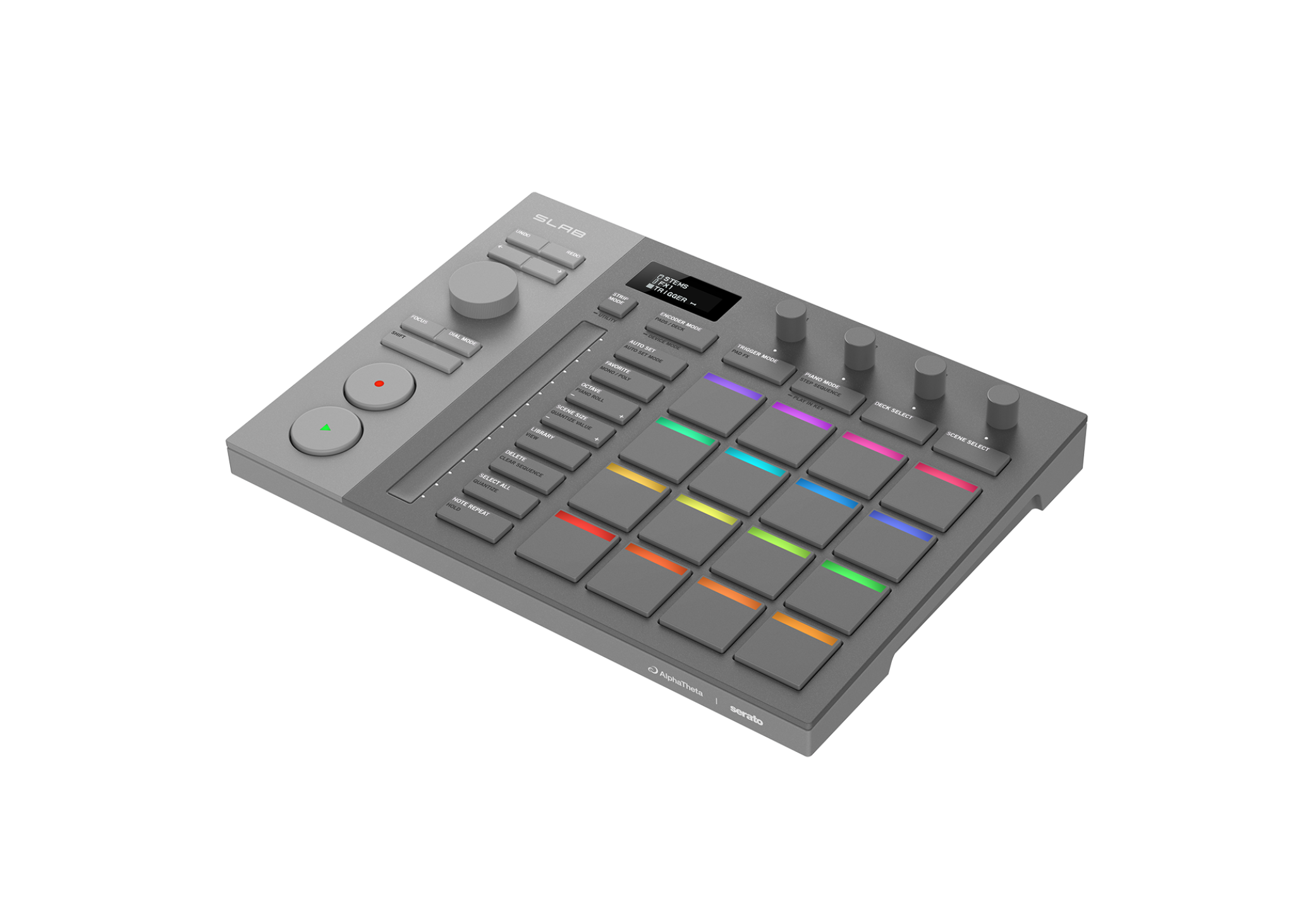
Alright, let’s get to it. First and foremost, we have to talk about initial impressions when you take the unit out of the box. It is a nicely built piece of kit. Fairly slimline in design, so it sits low and flat on your work surface.
While SLAB has a solid feel in construction, it’s not unnecessarily heavy either. Then, the look. Well, it is unashamedly designed around the classic MPC desktop design, and why not? It’s a work surface so many of us know how to navigate in our sleep, just about, so it already feels like a familiar piece of kit before you even turn it on.
Of course, what struck me as noteworthy right away was that the transport/master control section is on the left side of the workspace, whereas many would have expected it to be on the right. This is not a quiet attempt to throw fuel on the left-handed vs right-handed fire, but rather what appears to be a very clever understanding of how people work with these controllers. Let’s face it, most of the user base is going to be right-handed, and as such will be triggering the pads with the right hand a lot of the time.
I know, when I use other controllers, I am constantly reaching over my right hand to access transport controls with my left. I am sure I’m not the only one doing this. And now, AlphaTheta have brought everything back into a place that has your two hands working side by side, rather than over the top of each other. It’s the little things. But consider how many years you have worked around your hardware, and now the hardware is working with you.
The transport controls are dominated by the large rotary encoder dial and the large round Play and Record buttons. These are hard to miss and can easily be triggered without having to look for them. It brings a more DJ-like feel to the production process, keeping the flow going, rather than having you constantly looking for buttons that should be at your fingertips.
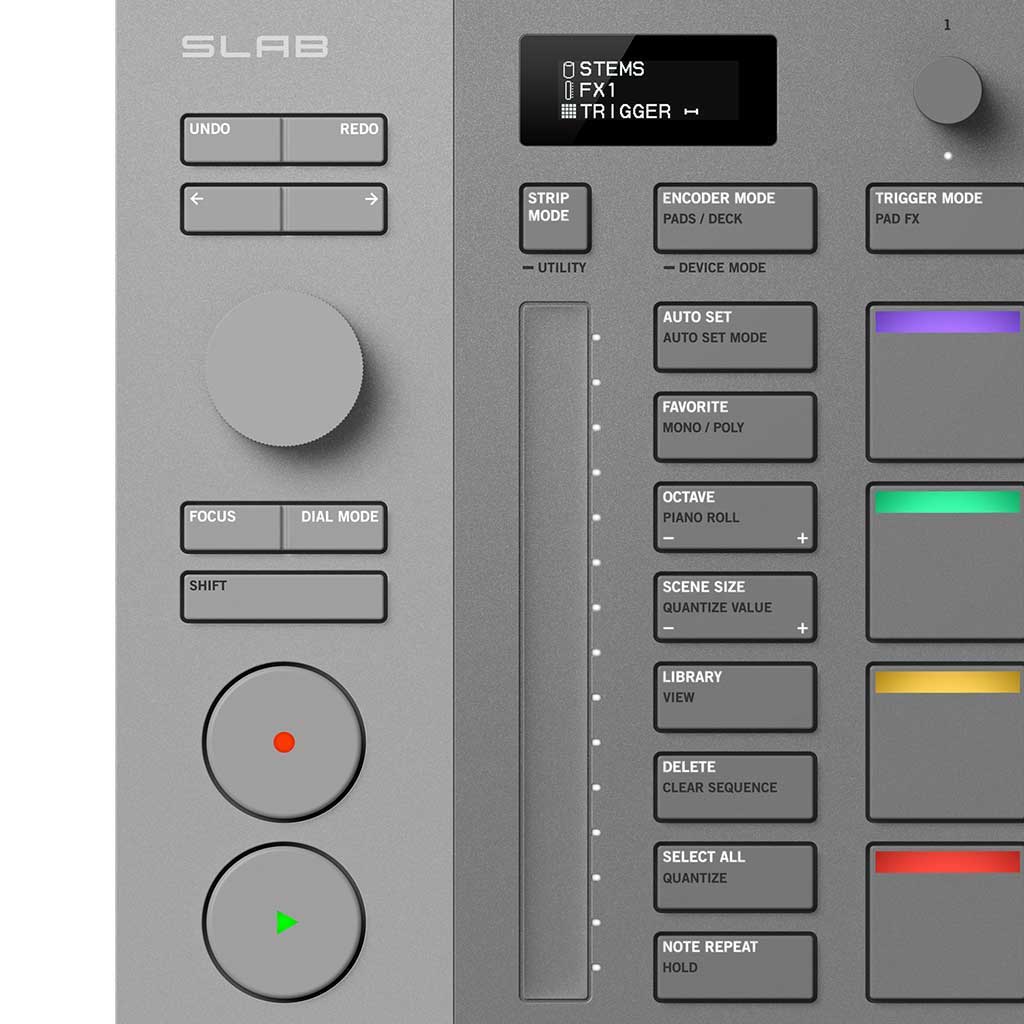
With this, Dial mode allows you to engage in a range of tasks like library scrolling, scrubbing, and even fine-tuning parameters in your plugins, with the aid of the Focus button. Additional control of extended parameters is found with the four rotary encoders running across the top of the unit.
Below these encoders, we have the ubiquitous array of 16 touch pads that is synonymous with this style of MIDI controller. These are just over an inch squared each, with a nice soft touch that is velocity sensitive, with adjustable aftertouch. Each pad has an illuminated strip at the top which changes colours based on modes and assignments. Say, for instance, if you’re using the pads for step sequencing, each instrument is represented by a different colour, so you can see how each one is mapped out colour by colour as you scroll through the instruments.
To the left of the pads is a touch strip for adding dynamic adjustments to a range of parameters, in a way that just can’t be achieved with the use of a rotary encoder. We also have a row of function buttons that allow you to switch the unit to different modes and bring up various functions on screen. All in all, there isn’t a lot of clutter on the work surface, just the essentials to allow you to work with the software. Your focus remains, as it should, with the computer’s screen where the magic is happening.
What AlphaTheta have set out to deliver with SLAB is an intuitive link between the musician and the software. With the incredibly high-powered ability of Serato Studio to create, mix and redefine sounds, SLAB speeds up the workflow, taking your hands away from the mouse and putting them into the mix.
It’s easy to see how one can liken this to the ultimate drum machine. Built with the layout of the classic sampler and drum machine, but with the enormous resource of Serato Studio as the engine, SLAB takes the computer out of the equation and brings you further into the music-making process.
Sure, many of you will already be using Serato Studio with a host of other MIDI controllers. That’s great, they all have their place, and I’m not suggesting you do away with any of them. We all have our favourites for certain processes.
The beauty of SLAB is that it can operate as a complete workstation on its own, for those who love a simple setup, or it can seamlessly integrate into a bigger studio configuration, complemented by keyboards and additional controllers. What you don’t have to worry about, with either way of working, is having to map it out to talk to the software. SLAB was purpose-built for controlling Serato Studio, so it just lights up when they’re together and works the way a dedicated controller should work.
I encourage anyone using Serato Studio to take a closer look at SLAB before you continue to struggle with your existing controller. Drop into your local AlphaTheta dealer this weekend and get your hands on one. Once you see it, feel it, and watch it in operation, I think you’ll know what needs to be done.