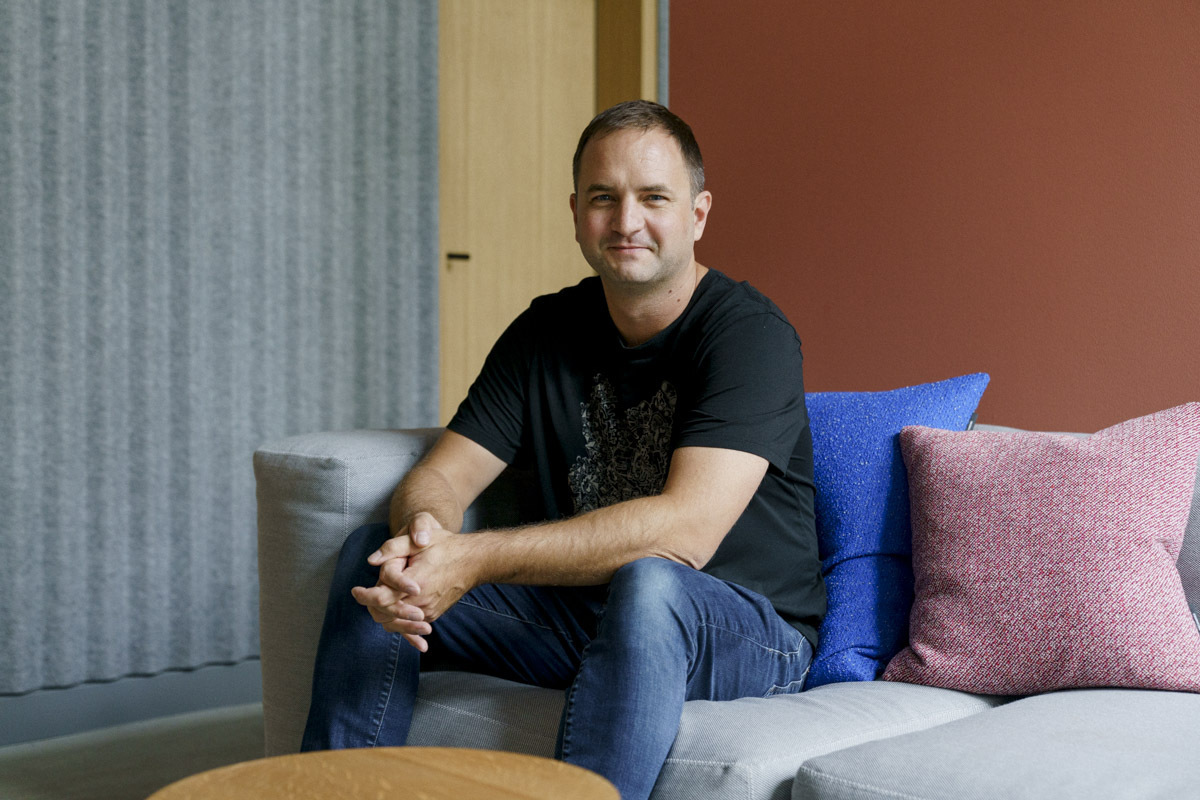
We chat with musician, producer and Ableton Push maker, Jesse Terry.
Jesse Terry has been shaping how electronic musicians create for over a decade. As the mind behind Ableton’s Push controller series, he turned ideas sketched out in Lego prototypes into one of the most influential pieces of hardware in modern production. We sat down with Terry to talk about Push’s evolution from beatmaking tool to standalone instrument and the challenges of designing expressive hardware.
Catch up on all the latest features and interviews here.
What was the original vision for Push 1, and how has that evolved through to the current iteration?
The first ideas for Push 1 came after we had done the APC40 with Akai Professional. I love the APC40 for clip launching and performance, but I really wanted something that worked well with Live’s drum racks. I originally was drawn to Live for the audio warping, but I missed the hands-on tactility of the MPCs and things I had started making beats on.
As I explored different ideas, I wanted to show samples, and I wanted it to be standalone, even from the beginning. But the realities of making a hardware product for real quickly showed me the importance of cutting the project into steps. If we had gone straight to what we wanted first, it would have taken more time and investment than was realistic and it probably never would have happened.
I focused the first drafts of Push as a beatmaking tool for both playing and sequencing drum racks; to combine two of the great methods of previous hardware. One day early on our founder/CEO Gerhard (Behles) came to me and said, ‘it should also be able to create melodies and harmonies.’ While this was daunting at first and made me throw away a lot of work, I quickly saw how exciting it could be to make music with an isomorphic grid. And then the ‘aha’ moment came when I started to explore making it able to be diatonic—to fold out the wrong notes of the selected scales.
Over time, we tried to make sure that everything on Push worked without looking at your computer—while it was not yet standalone, it did help you to focus away from distractions.
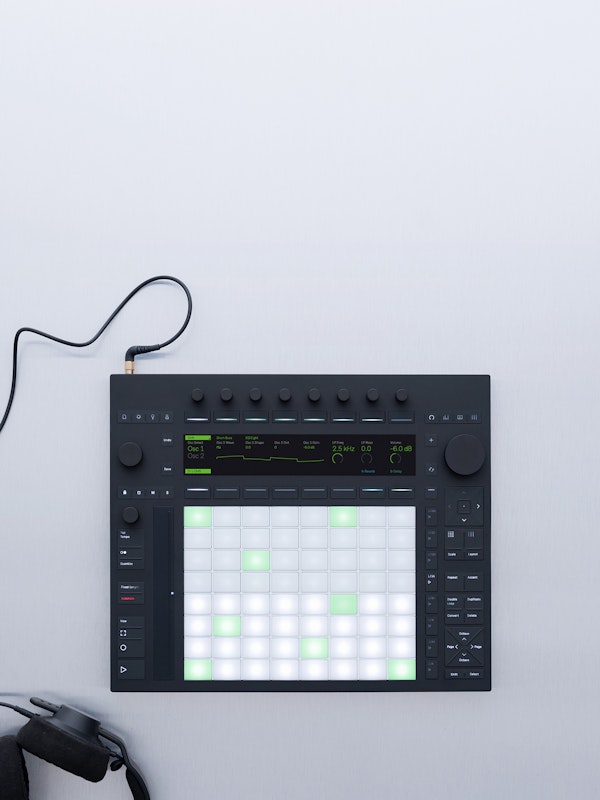
When Push 1 came out, we thought we had a great new instrument on our hands with some things that hadn’t been done before. Yet I was not satisfied with the display—I wanted to be able to see and manipulate samples. Push 2 dove deep into sampling workflows, and also utilised the new colour display to make our devices feel like real hardware, with custom UIs for many of our effects and instruments.
While making Push 2, we were beginning to think about how we could actually make this product standalone. We thought about writing everything from the ground up, and we thought about trying to port Live to Linux, so we could make it run on our dedicated operating system. At the same time, we wanted it to feel even more like an instrument. We were certainly influenced (again) by Roger Linn’s work with the Linnstrument, and other products coming out with MPE. We wanted to bring the expression, feel and nuance of traditional musical instruments to musicians who make music with electronic devices. Both the standalone feature and making our own expressive pads took many years.
When you were designing the first Push prototype, did you have any idea it would become such a cornerstone of electronic music production? What were those early days like?
I didn’t imagine this scale. I believed in the idea that there was a gap to fill, a desire among musicians for more direct, expressive control over Live. But whether it would become a “cornerstone”—that magnitude—was not a certainty. I guess I was quite driven by what I wanted back then, where now I try to think about what different user groups and personas are looking for.
Before release, we had been told by a retailer that the APC40 would sell a few thousand units a year, and then it was wildly successful, so we felt we had more we could do. There were only a few of us early on, and I had no idea how to make a prototype. It wasn’t as easy as it is nowadays, with 3D printers and maker spaces. Our Lego prototype (and the software work our developers did to make it functional) helped to make our pitch to make the product. At that point, we went to our friends at Akai Professional to work on the hardware engineering, and an industrial design company called Made Thought to refine the looks.
Those early days were messy, exploratory, and full of trial and error. We were juggling firmware, UI prototypes, pad sensors, latency, vendor constraints, and manufacturing tolerances. I remember early builds where the pads were inconsistent, or the encoders lagged, or buttons would double trigger. We were pushing boundaries in hardware, mapping it to software that was evolving too.
Push has always felt like it bridges the gap between hardware instruments and software controllers. How do you approach that balance when designing new features or iterations?
That is a central tension. On one side, you have the flexibility of software (patchability, upgrades, complexity). On the other, you have the constraints and delights of hardware (tactility, latency, fixed affordances, immediate feedback). Each new feature has to be weighed: does it keep the instrument feel, or does it pull you back into menus, into visual strain, into “looking” instead of “playing”?
In practice, we do this by prototyping early and often, with real users, real sessions. We try to build “fail fast” experiments: a candidate feature that might become a distraction, we put it on a prototype and see if users abort it. We observe whether people get stuck in menus, whether their hands leave the surface too often, and whether the cognitive load is too high.
We also respect hardware constraints. For instance, adding more controls is tempting, but every control adds cost and complexity. We need to balance what is up front, and what might be deeper in a menu. When possible, we don’t want to hide everything behind layers; that kills the tactile immediacy.
What’s been the biggest design challenge across the three generations of Push? Was there a feature or concept that seemed impossible at first but you eventually cracked?
Expressive pads seemed like it wouldn’t be too hard in the beginning, but it ended up taking a very long time, as we looked into the details. To make it really feel like an instrument and be able to do what real instruments do took a lot of time and testing. Many parameters under the hood give it a good ‘feel’ so users don’t need to think about the nuances of bending many notes at once without going out of tune, for example.
Making Push standalone was also an epic adventure. At times, it felt like we were making a set of preferences rather than a music-making tool. The hours that need to go into audio interface testing and set up, wifi, memory, heat dissipation, operating system, boot time and things like that aren’t necessarily musical things to design, but they allow for quite a bit of musical output.
Another concept that looked almost impossible originally (and still feels borderline) is fully replacing the visual depth of a computer in a box. On a laptop, you have big screens and multiple overlapping editors. Replicating that depth in a hardware interface is a never-ending puzzle. Push 3’s display, navigation, contextual UI design is one attempt at cracking that — but I view it as iterative, not “solved.”
How do you decide what stays and what goes when moving between Push generations? There must be features that don’t make the cut — how do you navigate those decisions?
When possible, we try to bring new features to older versions of Push. We feel a responsibility to make products that last a long time, as we know that keeping electronics out of landfills is the area we can have the most impact on sustainability. And we all hate planned obsolescence. Some features can surprise us in their complexity—I remember adding support for 16 macros on Push 1 took us much longer than we expected to design and develop.
However, adding new features to older hardware is not always possible depending on the physical features of the interface. For example, we can’t display samples on the LCD screen of Push 1, and we can’t implement features that use the jog wheel, audio interface or expressive pads of Push 3 on Push 2 or Push 1. Our goal is, at least, not to break older versions of Push, and when possible, to add functionality if it is not prohibitively expensive. It’s always a negotiation as Live continues to get new features with each update.
Push has become synonymous with hands-on, tactile music-making. How do you test whether a design decision actually enhances creativity versus just adding complexity?
In a nutshell: put it in the hands of musicians, watch them make music for real, blind test, record metrics, observe pain points, then decide. We don’t just do lab QA — we do creative sessions.
We might run “creative sprints” where we give producers a challenge (e.g. make a beat in 10 minutes) with and without the new feature. We see: did the feature help them, or did they ignore it? Did they stumble? Did it distract? We also log usage and error rates. We watch where their hands go, how much they shift to the screen or mouse, how many times they cancel or back out.
If a feature is elegant in isolation but distracts or is unused in real musical tasks, we reconsider it. Over time, you build an internal sense: if it makes a small gain but increases surface complexity, it’s probably not worth it.
You’ve watched countless artists integrate Push into their process. Have you seen anything that has completely surprised you, or even challenged how you originally envisioned it would be used?
There are many times I have seen this happen. I think the way Q-Tip uses instrument racks filled with many Simplers, and then uses an encoder to switch between them, is creative and cool. On Move and Push, Dibiase has a method where he step-automates the start of a sample, resulting in a multiplication of the number of samples you can trigger with a single pad. I love the use of the pitch bend strip that composer Cristobal Tapia de Veer uses on the theme music for White Lotus.
For someone who’s never used Push before, what’s the one thing you’d want them to understand about how it changes the music-making process?
It shifts your focus from thinking about the machine to thinking about the music. Instead of clicking, dragging, and menu hunting, you stay in the moment, in your hands. Push invites you to improvise, to explore, to mutate ideas quickly. It makes the musical ideas more immediate — you hear the result as you press, and you stay in the loop with fewer interruptions.
It also reframes “editing” not as a separate pass but as part of creation: sliding pads, shaping with touch, turning knobs, tweaking modulation while notes play. It encourages you to make musical decisions earlier, to iterate fast, to play first, fix later.
With AI increasingly capable of generating music and assisting with production, where do you see the role of hardware controllers and instruments heading? Does that shift change how you think about designing tools like Push?
I see a future where AI is a collaborator, not a replacement. The more capable AI systems become, the more valuable the interface becomes: how you guide, tweak, redirect, sculpt, and express.
While I originally wanted to be a professional musician, I make most of my living as an instrument maker. So perhaps it’s a. bit easier for me to understand where music fits in my life. It is my meditation and how I relax, and I can’t really live without it and get grumpy when I don’t have time to make music. But I have lost production work to AI already, so I am very aware of how this would be for people who make their money from music primarily.
I’ve seen great ways to use AI to support making music. I use it for EQing, mastering, to get ideas for a different section of a song, or even to sample from. But we are here to make art. AI is supposed to help us be more creative, not be more creative than us. Hardware comes into this, as things like Push capture the feel of your playing—the micro adjustments of rhythm, tone and timbre. This is the kind of music I want to make and want to hear.
I heard a famous producer say recently, ‘If you use AI to make music, jump in the river. If you use AI to make money from music, swim to the bottom of the river.’
So when designing Push or its successors, I think more about how to expose AI-assistive features in unobtrusive ways—suggestions, pre-sets, “smart defaults”—but always allow override, always allow the musician to break rules. I try to envision: what if the system could suggest but not assume, could help without taking over?
In short, AI changes what “assistance” looks like, but I believe hardware controllers will remain central because they ground decisions in the physical.
As someone who builds instruments for other people to make music with, do you get much time to create yourself? Does designing Push influence your own creative process?
I’m always making music or practising my playing on Push, guitar, bass or other instruments. It’s hard to fit it in with family and work, but I try to carve out an hour or two a night after my family goes to sleep. I have a few projects in different genres, a solo project with instrumental beats (Jethroe), an R&B project (Countach), and I’m working on an album with an MC named Motion Man.
My best moments of work are when I get to test new features that I have been waiting on, or refine the feel of the expressive pads, or test out the quality of a preamp or device in Live. I usually save this work for the weekend so I can enjoy it and make music. Push has definitely changed how I make music. I’m a much better finger drummer now, and I can play things with the pads that I can’t play on a traditional keyboard.
Check out Ableton Push 3 here.